Settings

Configure general, organization type, modules, loan defaults, team, approvals and your own account.

Workflow

  1. 1

    General and organization type

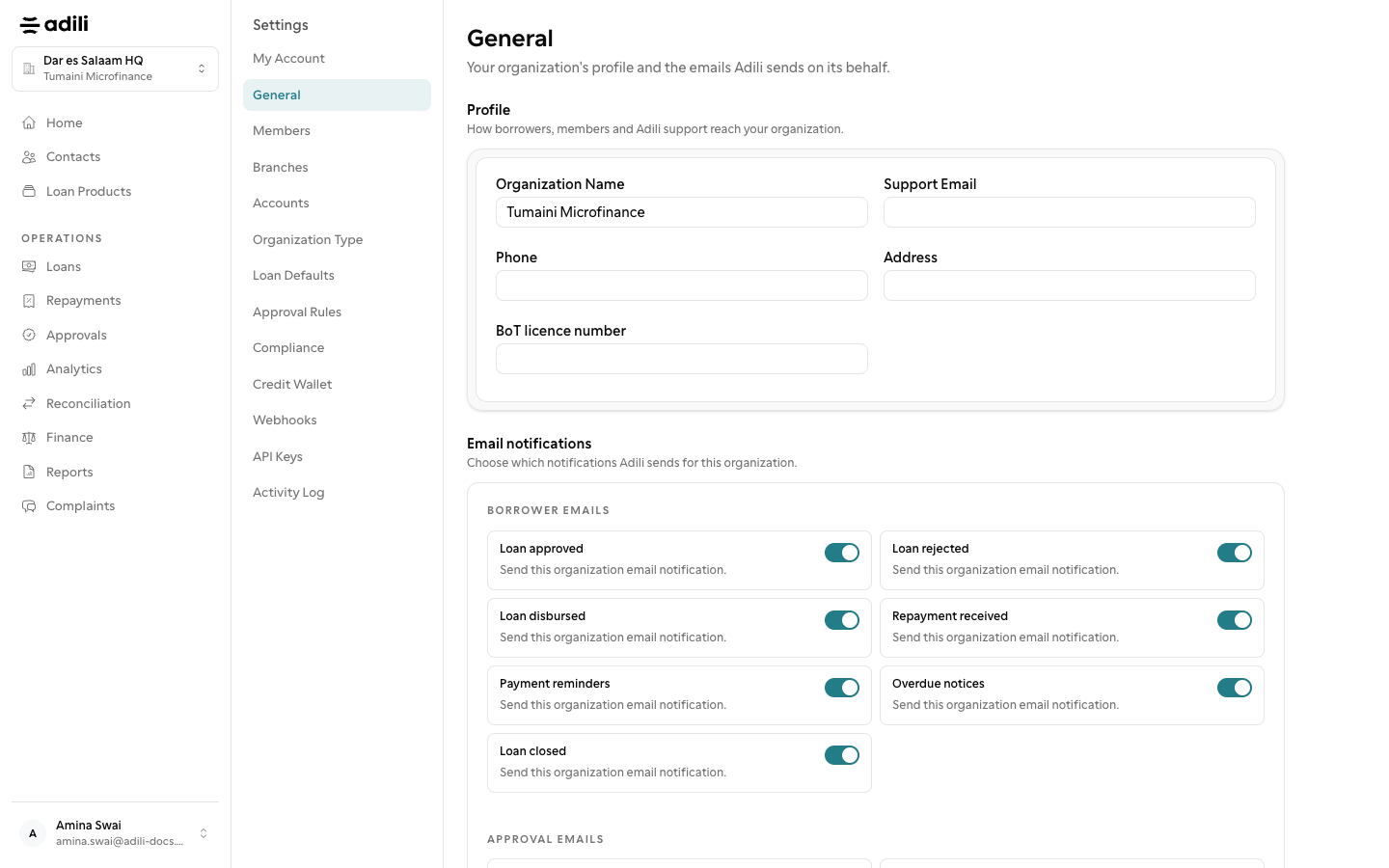
    Settings → General holds currency, fiscal year and operating defaults. Organization Type & Policy holds the type (SACCOS, microfinance, VICOBA), the licence and, for a group, the constitution rules.

  2. 2

    Modules, loan defaults and approvals

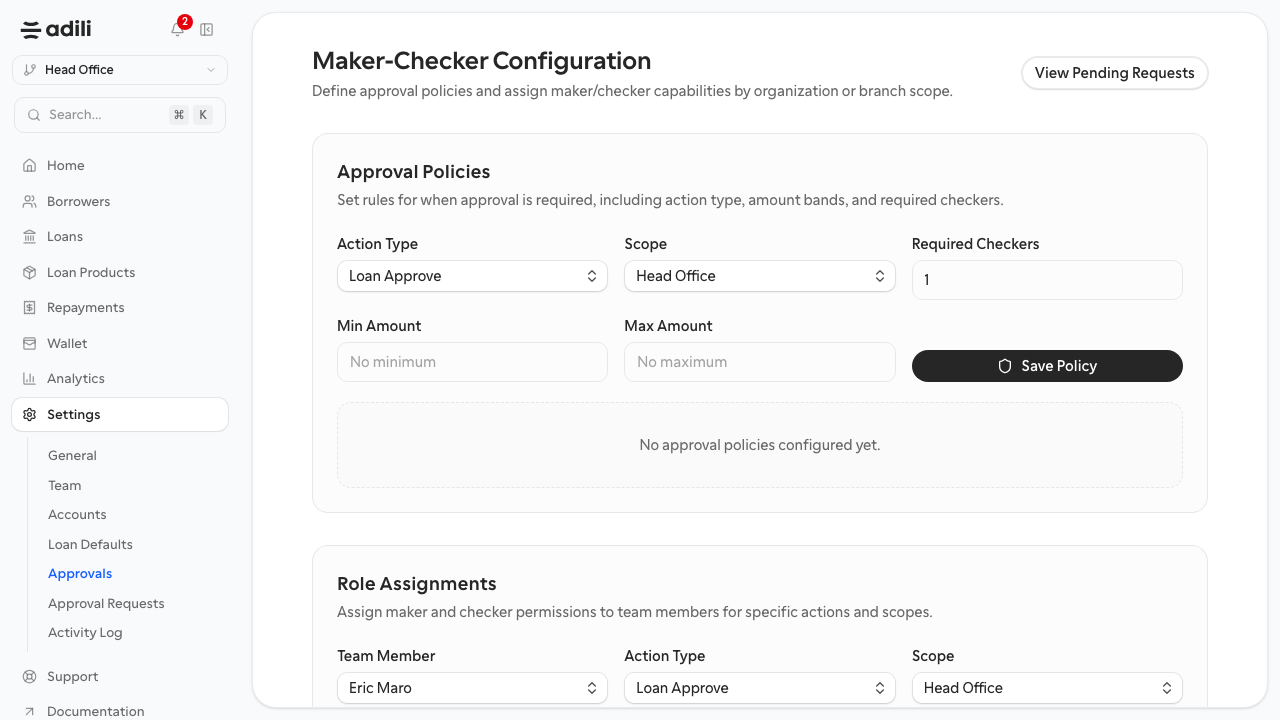
    Modules turns sections on or off. Loan Defaults holds the loan ceiling and defaults. Approvals holds maker-checker policies and limits.

  3. 3

    Team and your own account

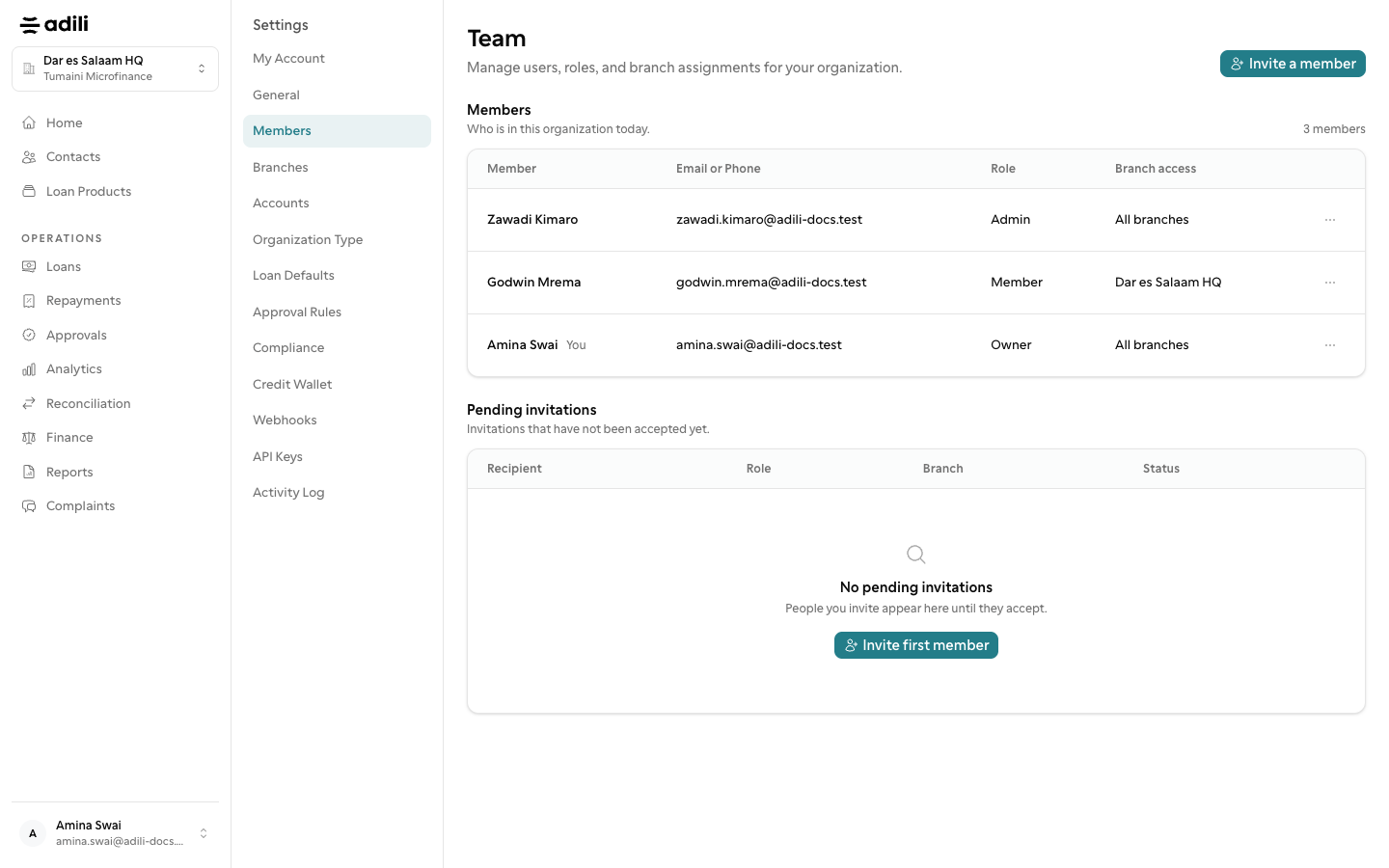
    Team holds branch members and invitations. Your Own Account changes your name, phone, email and password.
See it in Adili

Follow the screen, step by step

The examples use safe training data. Names and amounts in your account will be different.

General and organization type

1 General and organization type

What to do

  1. 1. Settings → General holds currency, fiscal year and operating defaults. Organization Type & Policy holds the type (SACCOS, microfinance, VICOBA), the licence and, for a group, the constitution rules.

You should see

Organization type and currency are reviewed.

Modules, loan defaults and approvals

2 Modules, loan defaults and approvals

What to do

  1. 1. Modules turns sections on or off. Loan Defaults holds the loan ceiling and defaults. Approvals holds maker-checker policies and limits.

You should see

Team roles and approval policies are checked.

Team and your own account

3 Team and your own account

What to do

  1. 1. Team holds branch members and invitations. Your Own Account changes your name, phone, email and password.
You should see

Your own account is up to date.