Wallet and Accounts

Manage service credits, funding accounts and low-balance alerts.

Workflow

  1. 1

    Check the balance

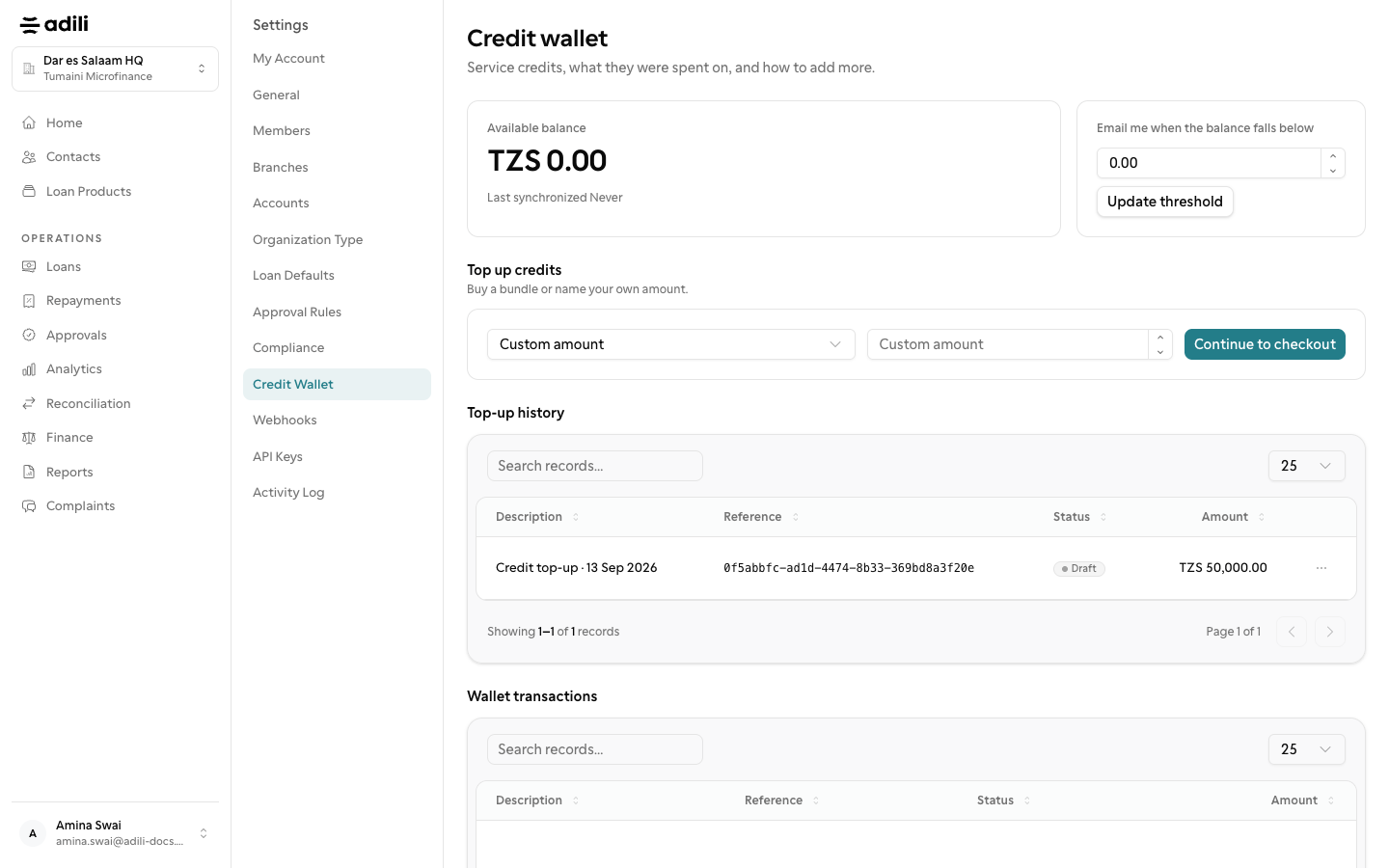
    Open Settings → Wallet to see service credits and usage.

  2. 2

    Set an alert

    Choose a low-balance threshold so the team is warned before a service stops.

  3. 3

    Manage funding accounts

    Open Accounts to add a till or bank account used for payouts and collections.
See it in Adili

Follow the screen, step by step

The examples use safe training data. Names and amounts in your account will be different.

Check the balance

1 Check the balance

What to do

  1. 1. Open Settings → Wallet to see service credits and usage.

You should see

The balance covers expected activity.

Set an alert

2 Set an alert

What to do

  1. 1. Choose a low-balance threshold so the team is warned before a service stops.
  2. 2. Open Accounts to add a till or bank account used for payouts and collections.
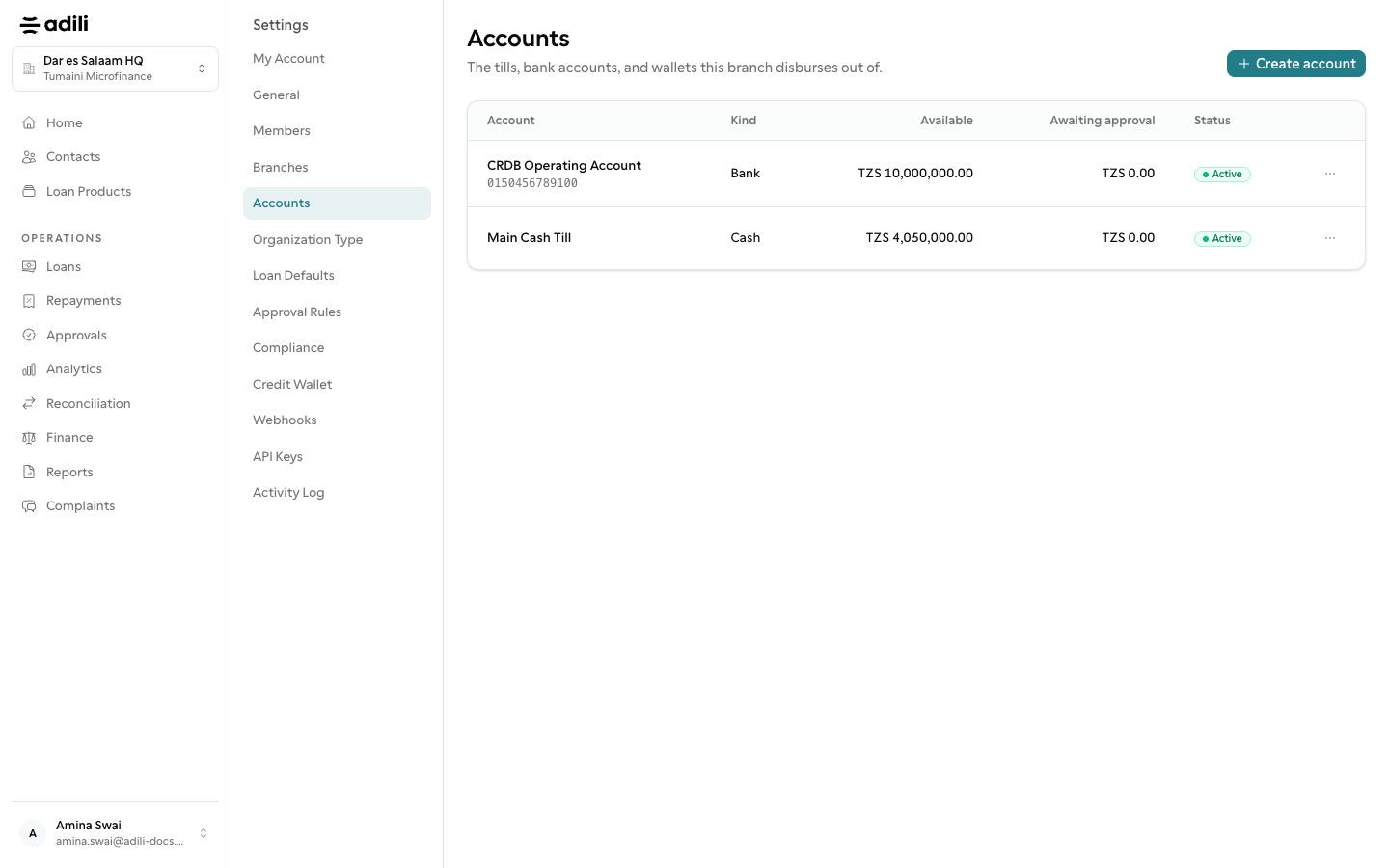
You should see

Alerts reach the right people.