Compliance Settings

Set the organization type, licence and tax details that drive the calendar and reports.

Workflow

  1. 1

    Confirm the organization type

    Settings → Organization Type sets SACCOS, microfinance or VICOBA, and holds the by-law settings for SACCOS. The type can change until you have contacts, products or loans.

  2. 2

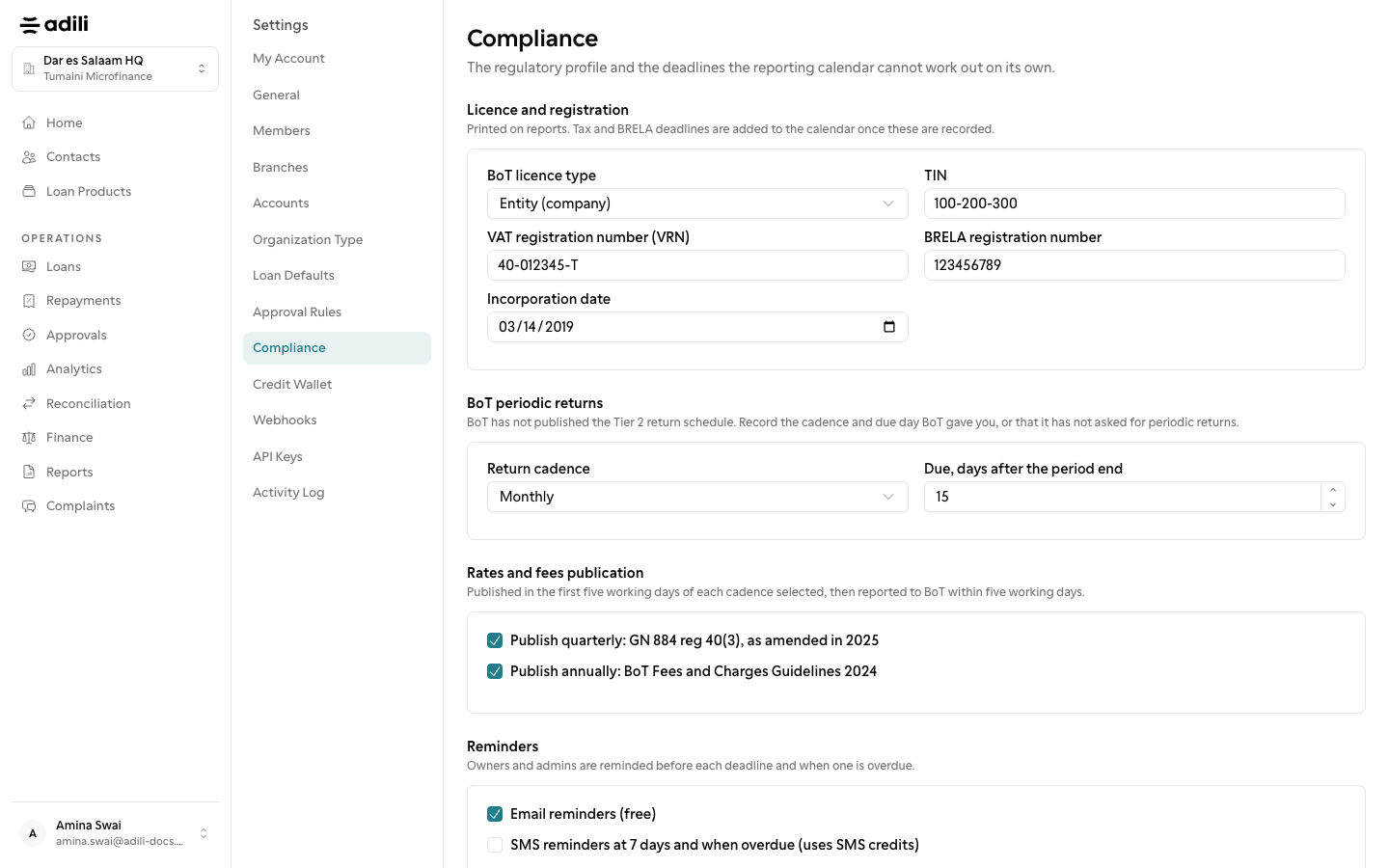
    Fill in Compliance

    Settings → Compliance records the BoT licence type, TIN, VRN, BRELA registration number, incorporation date, return cadence and rates and fees publication.

  3. 3

    Choose reminders

    Settings → Reminders turns reporting reminders on by email (free) and SMS (uses SMS credits), alongside payment reminders to borrowers and members.
See it in Adili

Follow the screen, step by step

The examples use safe training data. Names and amounts in your account will be different.

Confirm the organization type

1 Confirm the organization type

What to do

  1. 1. Settings → Organization Type sets SACCOS, microfinance or VICOBA, and holds the by-law settings for SACCOS. The type can change until you have contacts, products or loans.
  2. 2. Settings → Compliance records the BoT licence type, TIN, VRN, BRELA registration number, incorporation date, return cadence and rates and fees publication.
  3. 3. Settings → Reminders turns reporting reminders on by email (free) and SMS (uses SMS credits), alongside payment reminders to borrowers and members.

You should see

The organization type is correct.