Dashboard Overview

Learn how to navigate the branch dashboard and understand each section.

Workflow

  1. 1

    Read the overview

    Use headline metrics to understand portfolio size, disbursements, repayments, and arrears.

  2. 2

    Open the relevant workspace

    Navigate to borrowers, loans, repayments, analytics, or settings for the task at hand.

  3. 3

    Change context carefully

    After switching branches, verify the page heading before continuing an operation.
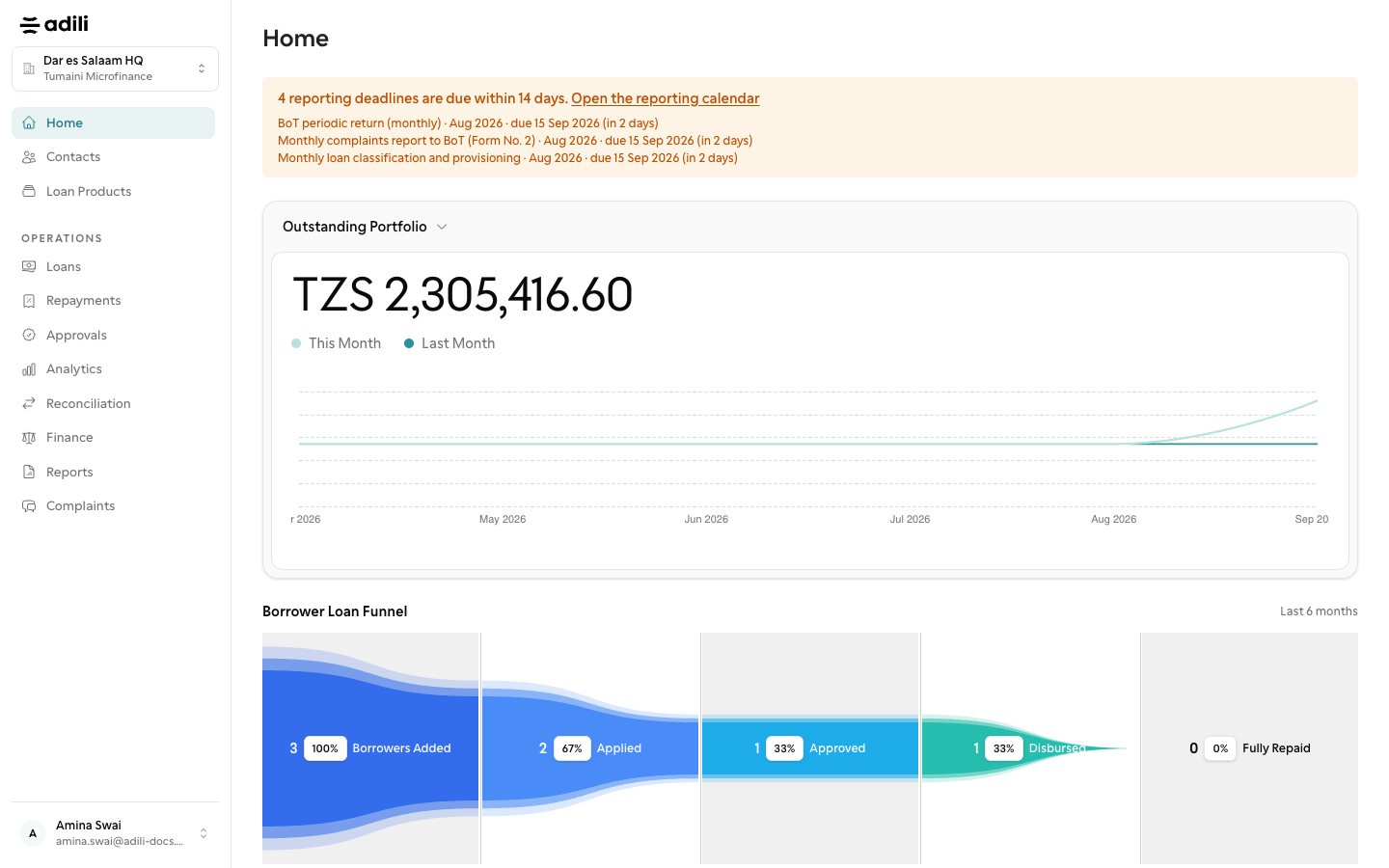
See it in Adili

Follow the screen, step by step

The examples use safe training data. Names and amounts in your account will be different.

Read the overview

1 Read the overview

What to do

  1. 1. Use headline metrics to understand portfolio size, disbursements, repayments, and arrears.
  2. 2. Navigate to borrowers, loans, repayments, analytics, or settings for the task at hand.
  3. 3. After switching branches, verify the page heading before continuing an operation.

You should see

Metrics cover the intended period.