Workflow
-
1
Organization roles
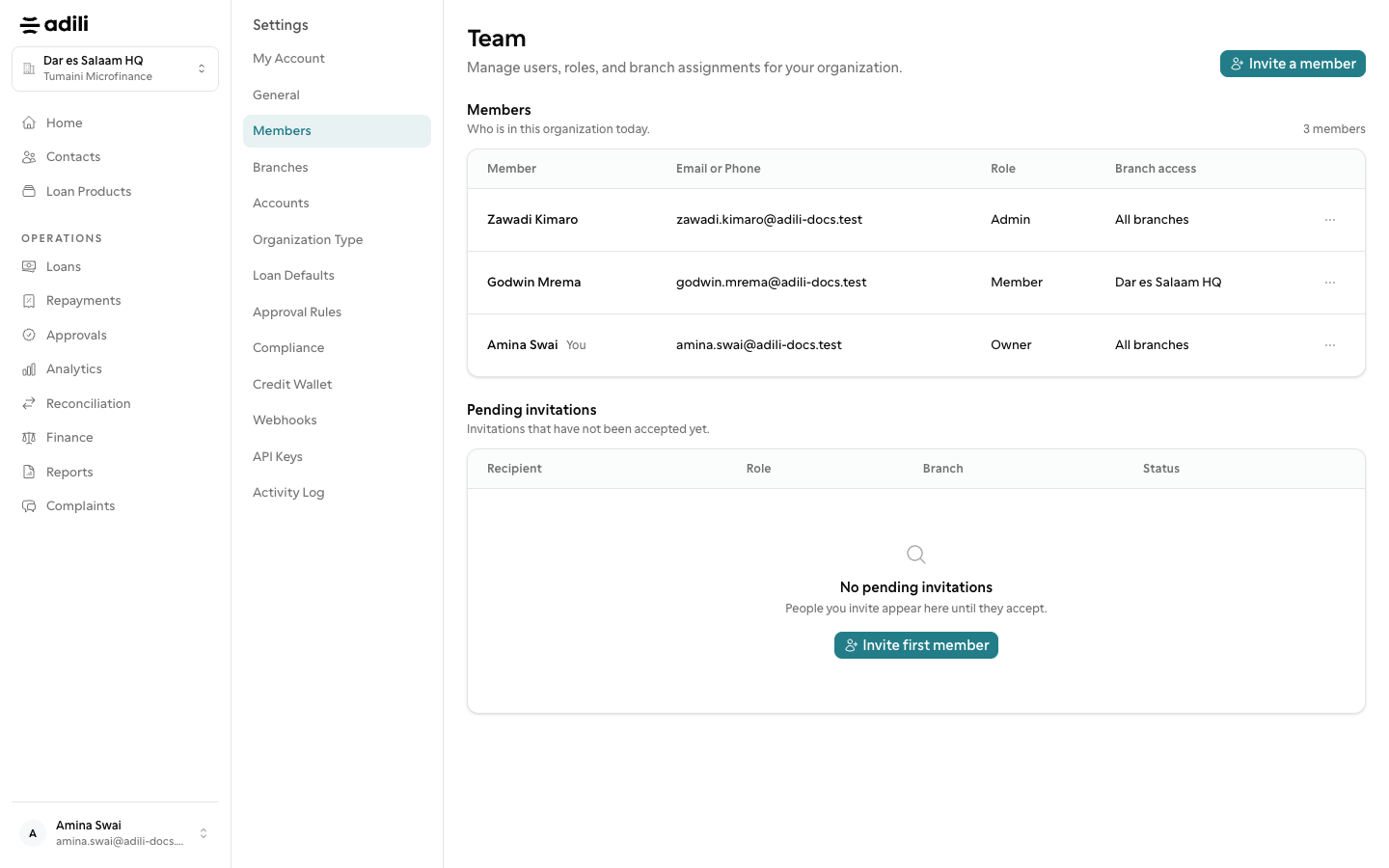
Everyone in an organization is an Owner, an Admin or a Member. Owners and admins may do everything, including all settings, Plan & Billing, the Credit Wallet, API keys and organization-wide reports. A Member gets a branch role in each branch they work in.
-
2
Branch roles
Branch Manager: creates, assesses, writes off and closes loans, reverses payouts and repayments, sees Approvals, Finance and Reconciliation, and may export personal data. Loan Officer: registers contacts, creates and submits loans, pays out and records repayments (no reversals) and requests credit reports. Assessment Officer: reads contacts and loans and carries out field assessments. Cashier: pays out loans and records repayments and contributions. Viewer: reads only.
-
3
SACCOS staff roles
A SACCOS offers its own branch roles in place of Assessment Officer. Member Services Officer: registers members with their nominees and entrance fee, takes contributions and savings, and handles member requests and complaints, without lending. Accountant: reads the society's money and members, drafts journals (an owner or admin submits them) and reconciles the bank. Credit Committee: reads members, savings, guarantees and loans and sees Approvals; name it as a checker for loans in Approval Rules. Internal Auditor: reads everything at the branch, including the Activity Log, and may export, but changes nothing.
-
4
Invite staff
Go to Settings → Members (Staff in a SACCOS or group) and choose Invite a member or Invite staff. Enter the Email or Phone, the Organization Role, and for a Member the Branch and Branch role, then choose Send invite. Unanswered invitations wait under Pending invitations, where you can Cancel invitation. Your plan sets how many staff you may have.
-
5
Change or remove access
On a person's row choose Manage access to change the Organization role, Assign branch or Remove a branch assignment, then choose Done. Choose Remove member when someone leaves.
-
6
Approving is separate
Approving a loan, write-off or reversal is not part of a role. Settings → Approval Rules names the checkers for each action; where none are named, owners and admins check. Nobody may check a request they raised themselves.