Meetings and Votes

Hold general, board and committee meetings with quorum, motions, elections and minutes.

Workflow

  1. 1

    Schedule the meeting

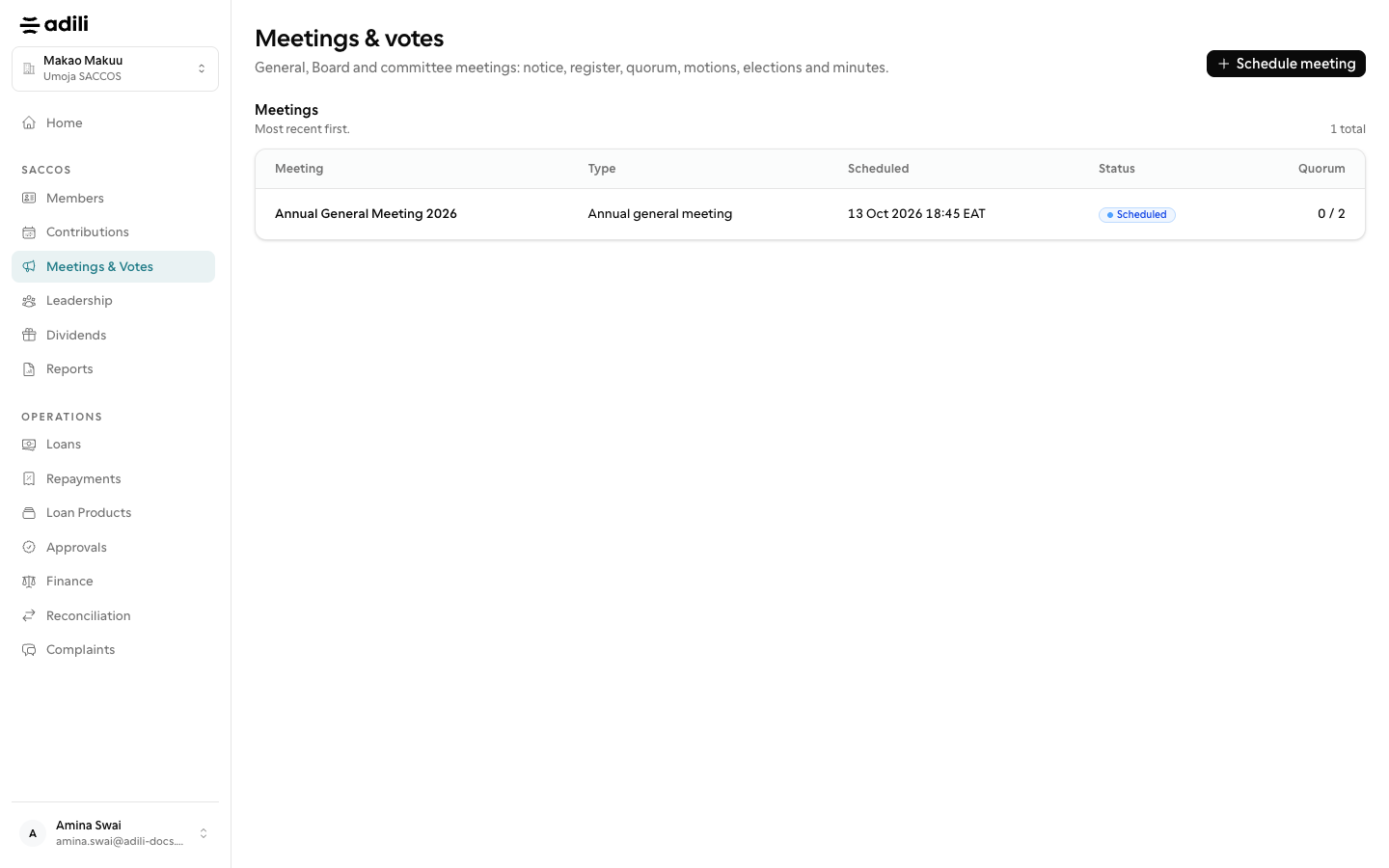
    Under Meetings & Votes, schedule a general, board or committee meeting. Adili checks the notice the meeting type requires.

  2. 2

    Run the meeting

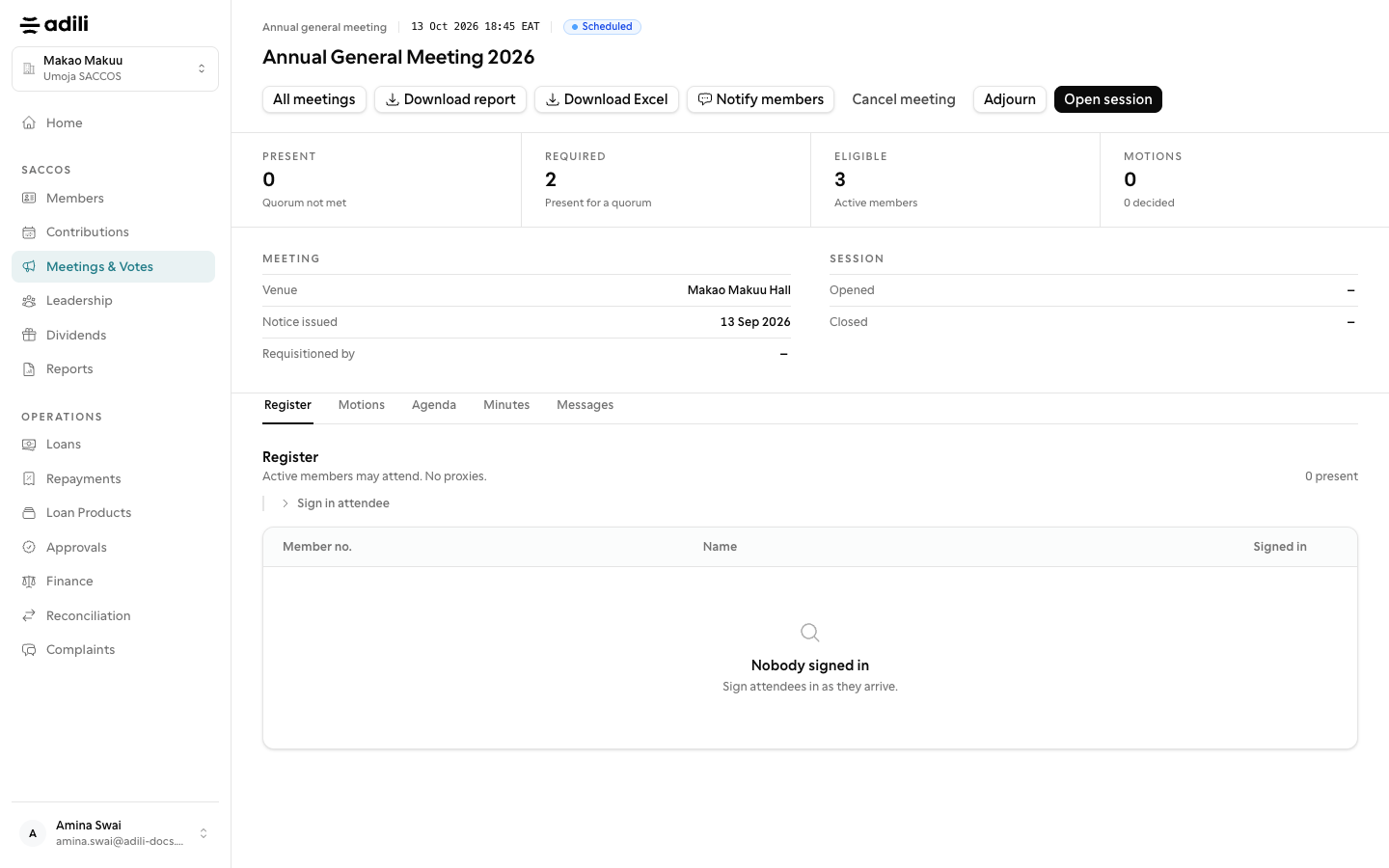
    Sign members in on the register, confirm quorum, table motions, issue ballots and record the election committee's count. Adili records who received a ballot, never how they voted.

  3. 3

    Close and report

    Record the minutes, close the meeting, notify members by SMS if you choose, and download the meeting report as PDF.
See it in Adili

Follow the screen, step by step

The examples use safe training data. Names and amounts in your account will be different.

Schedule the meeting

1 Schedule the meeting

What to do

  1. 1. Under Meetings & Votes, schedule a general, board or committee meeting. Adili checks the notice the meeting type requires.

You should see

Quorum was reached before any vote.

Run the meeting

2 Run the meeting

What to do

  1. 1. Sign members in on the register, confirm quorum, table motions, issue ballots and record the election committee's count. Adili records who received a ballot, never how they voted.
  2. 2. Record the minutes, close the meeting, notify members by SMS if you choose, and download the meeting report as PDF.

You should see

Minutes are recorded and confirmed.