Workflow
-
1
Search before you add
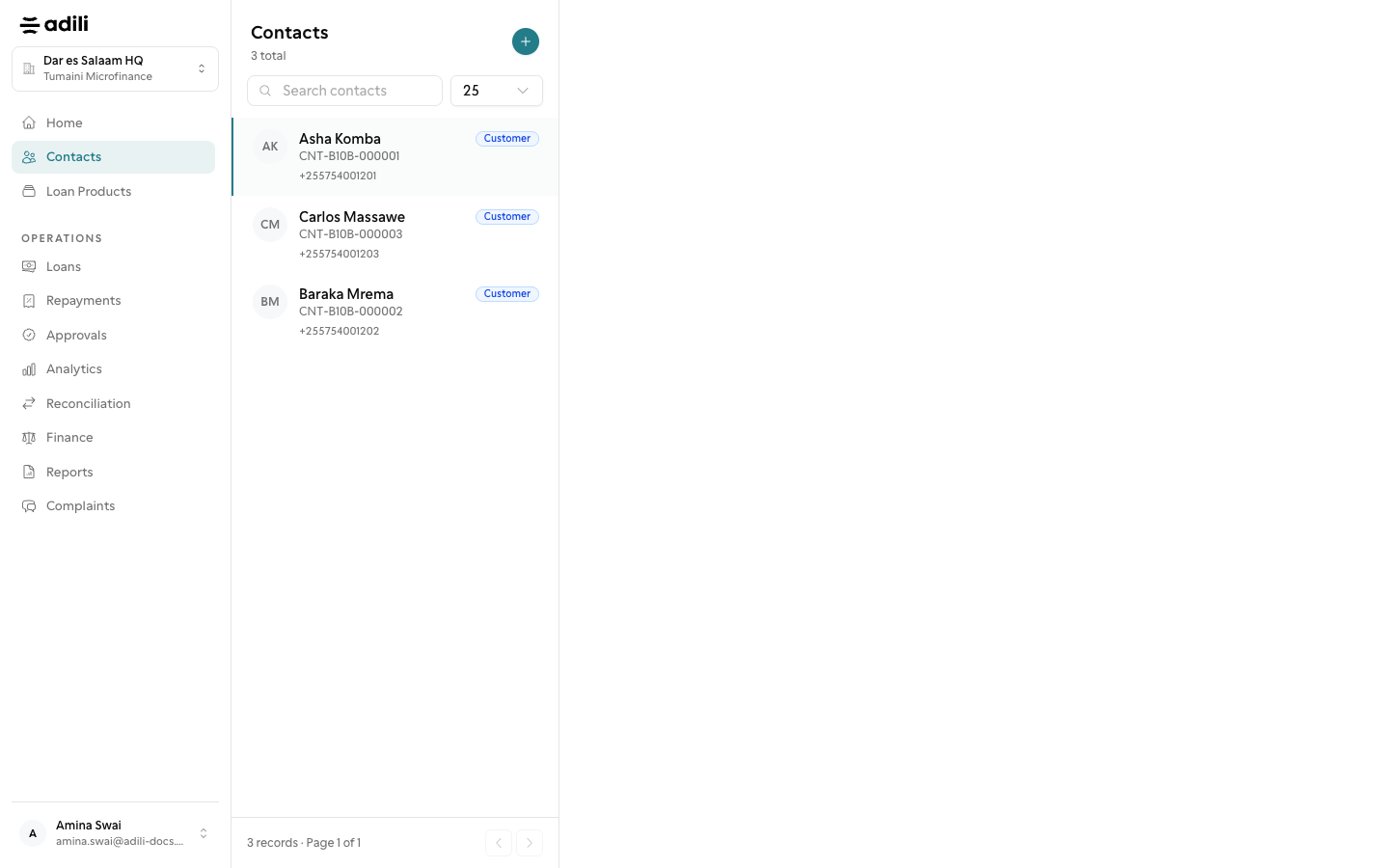
Open Contacts and use Search contacts with the name, phone or National ID, so the same person is not registered twice. Owners, admins and branch managers also see Download Excel.
-
2
Add the contact
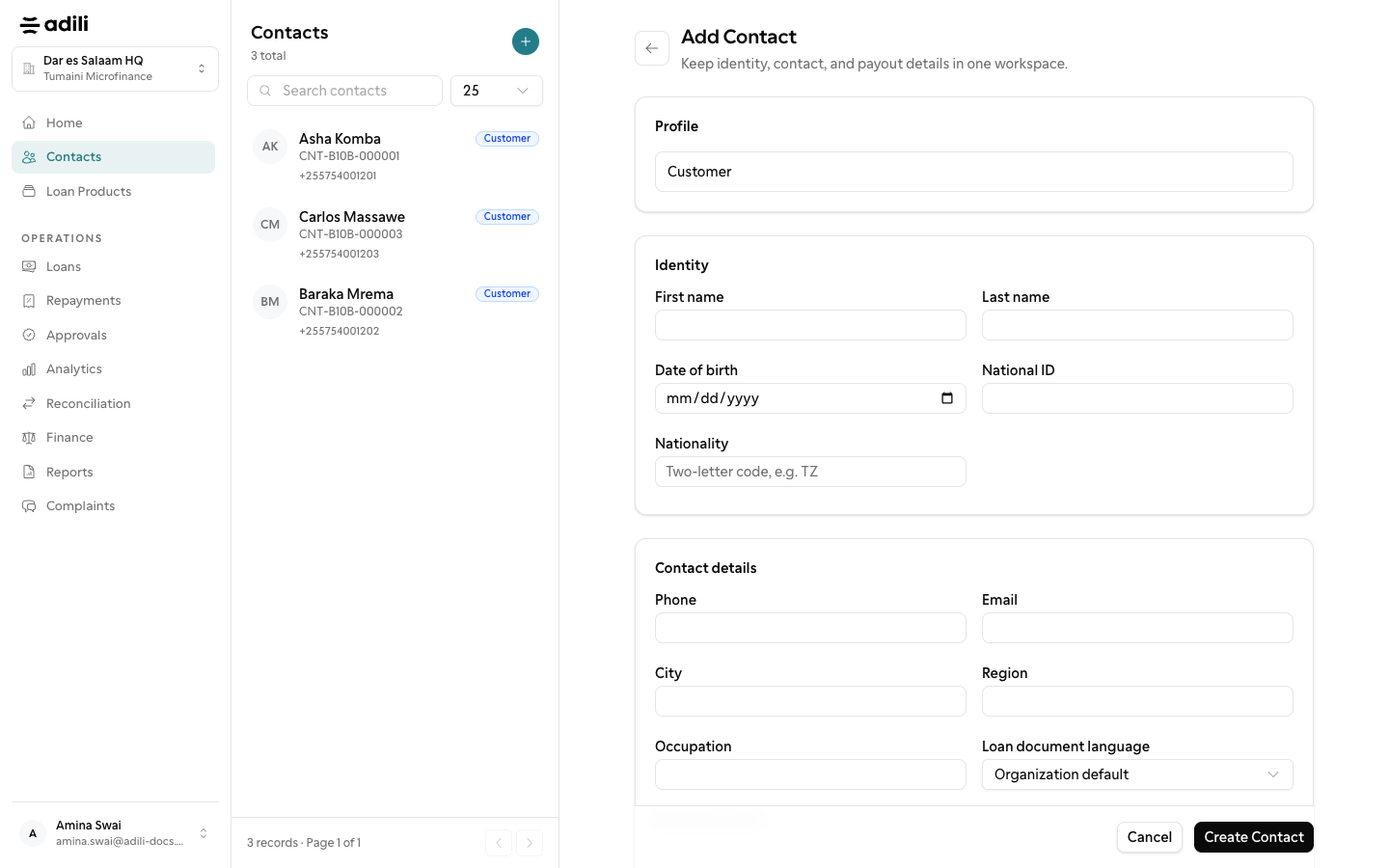
Choose Add contact (Register member in a SACCOS). Under Identity enter First name, Last name, Date of birth, National ID, Nationality (two letters, for example TZ) and Marital status. For a business add the Registered business name, Registration number, Registration date and TIN.
-
3
Contact details and work
Enter the Phone, Email, Region, District and Ward (the ward fills in the Postcode), the Occupation, Employment sector, Monthly income and Address. Loan document language decides whether the key facts statement is printed in English or Kiswahili.
-
4
Next of kin and payout accounts
Under Next of kin enter the Full name, Relationship, Phone and Address. Under Payout Accounts choose Add Payout Account for a Bank Transfer or Mobile Money account. Save with Create Contact; when your rules require it the button reads Submit for approval.
-
5
Upload identity documents
On the contact's Documents tab choose Upload documents, pick the Document type (for example National ID (NIDA) or Payslip), fill What is it?, add the Expiry date when the document has one, and choose Upload. Expired and Expiring (within 30 days) badges warn you in time.
-
6
Review the record
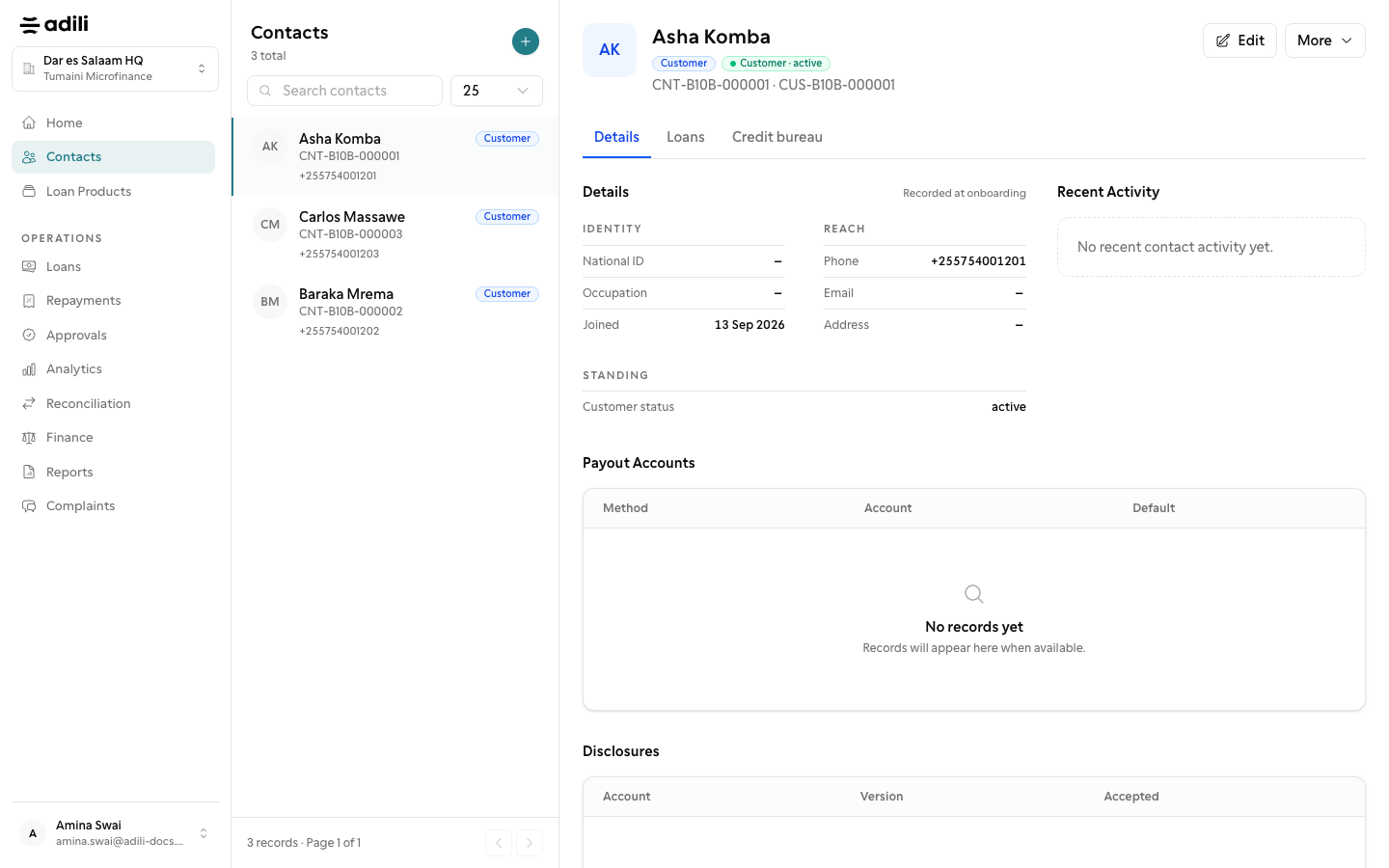
Check the Loans tab and, for roles that may, the Credit bureau tab before a new application. Use Edit to change details or the Customer status (Active, Inactive, Blacklisted, Deceased).