Loan Products

Create and manage loan products with custom pricing and repayment rules.

Workflow

  1. 1

    Define the terms

    Set interest method, duration, repayment frequency, fees, and amount limits.

  2. 2

    Add fees and service add-ons

    A fee is a flat amount or a percentage — of the loan, of what the borrower asked for, or of the balance outstanding month by month. A service add-on such as GPS tracking of the collateral is the price a supplier quoted, so it is an amount, billed once or every month. Choose whether every loan carries it or the officer picks it per loan, whether one-time fees and add-ons come off the payout or are added on top, and whether the prices already include tax. Tax itself is turned on under Settings, Loan defaults.

  3. 3

    Review an example

    Validate the calculation with a representative amount before making the product available.

  4. 4

    Control changes

    Edit products with the right authority and retain the reason for each pricing decision.
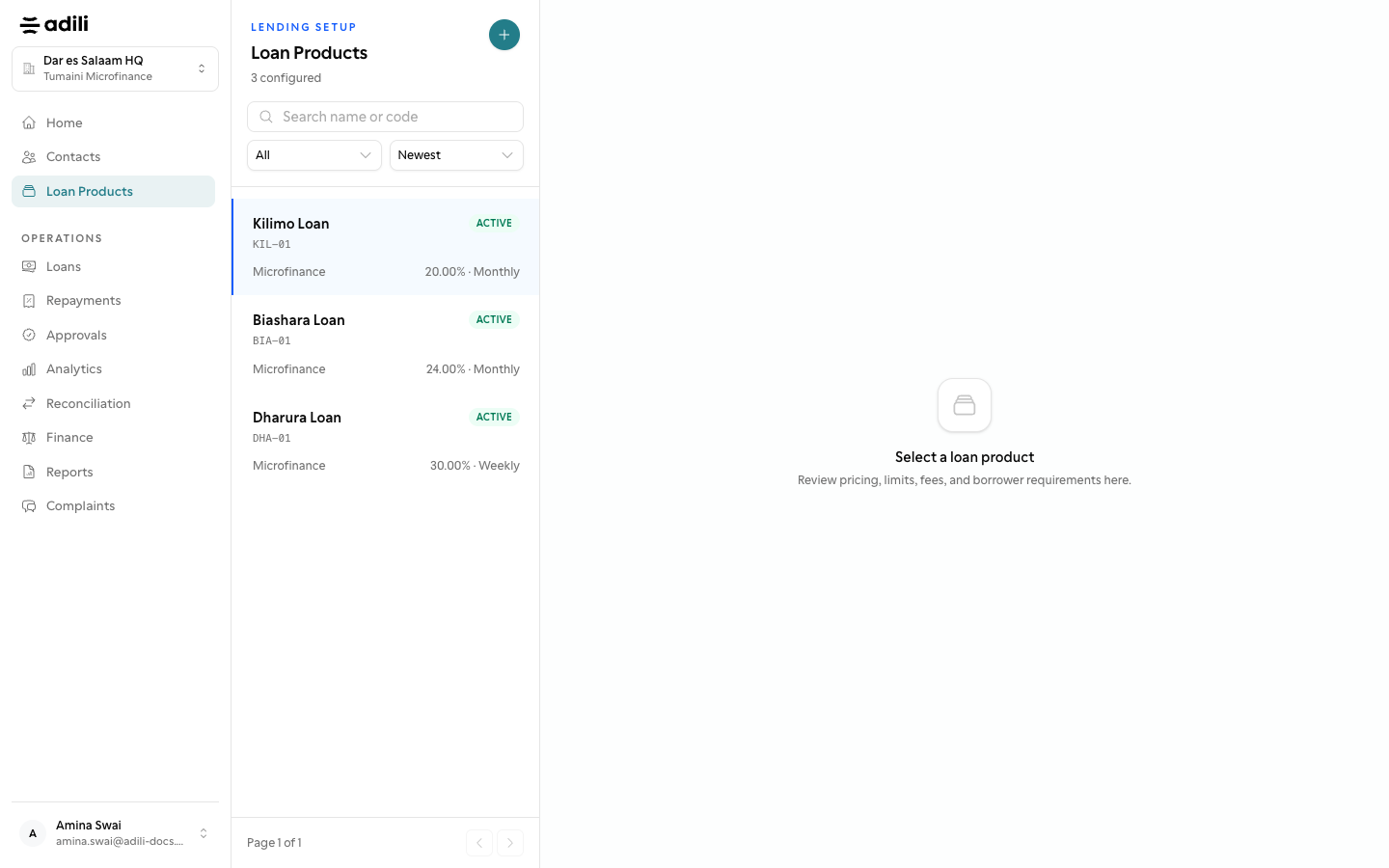
See it in Adili

Follow the screen, step by step

The examples use safe training data. Names and amounts in your account will be different.

Define the terms

1 Define the terms

What to do

  1. 1. Set interest method, duration, repayment frequency, fees, and amount limits.

You should see

Pricing follows institution policy.

Add fees and service add-ons

2 Add fees and service add-ons

What to do

  1. 1. A fee is a flat amount or a percentage — of the loan, of what the borrower asked for, or of the balance outstanding month by month. A service add-on such as GPS tracking of the collateral is the price a supplier quoted, so it is an amount, billed once or every month. Choose whether every loan carries it or the officer picks it per loan, whether one-time fees and add-ons come off the payout or are added on top, and whether the prices already include tax. Tax itself is turned on under Settings, Loan defaults.
  2. 2. Validate the calculation with a representative amount before making the product available.
  3. 3. Edit products with the right authority and retain the reason for each pricing decision.
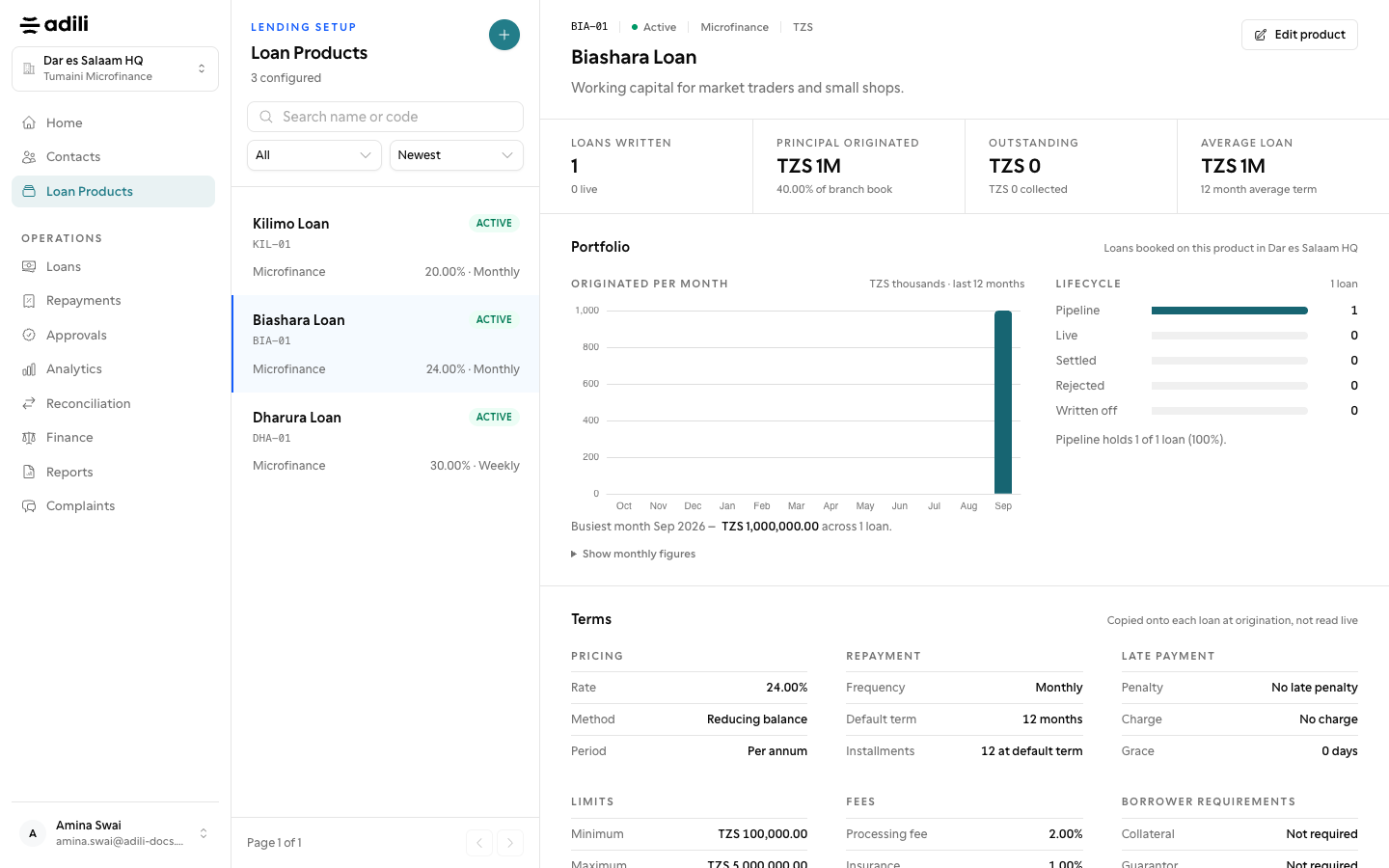
You should see

A sample schedule was reviewed.