Cost of Credit

Show the full cost of a loan and give the borrower a key facts statement before disbursement.

Workflow

  1. 1

    Quote before you lend

    On the new-loan form, the cost of credit shows the nominal and effective annual rate including all fees, total interest, total cost of credit and the cost of each instalment.

  2. 2

    Review the loan page

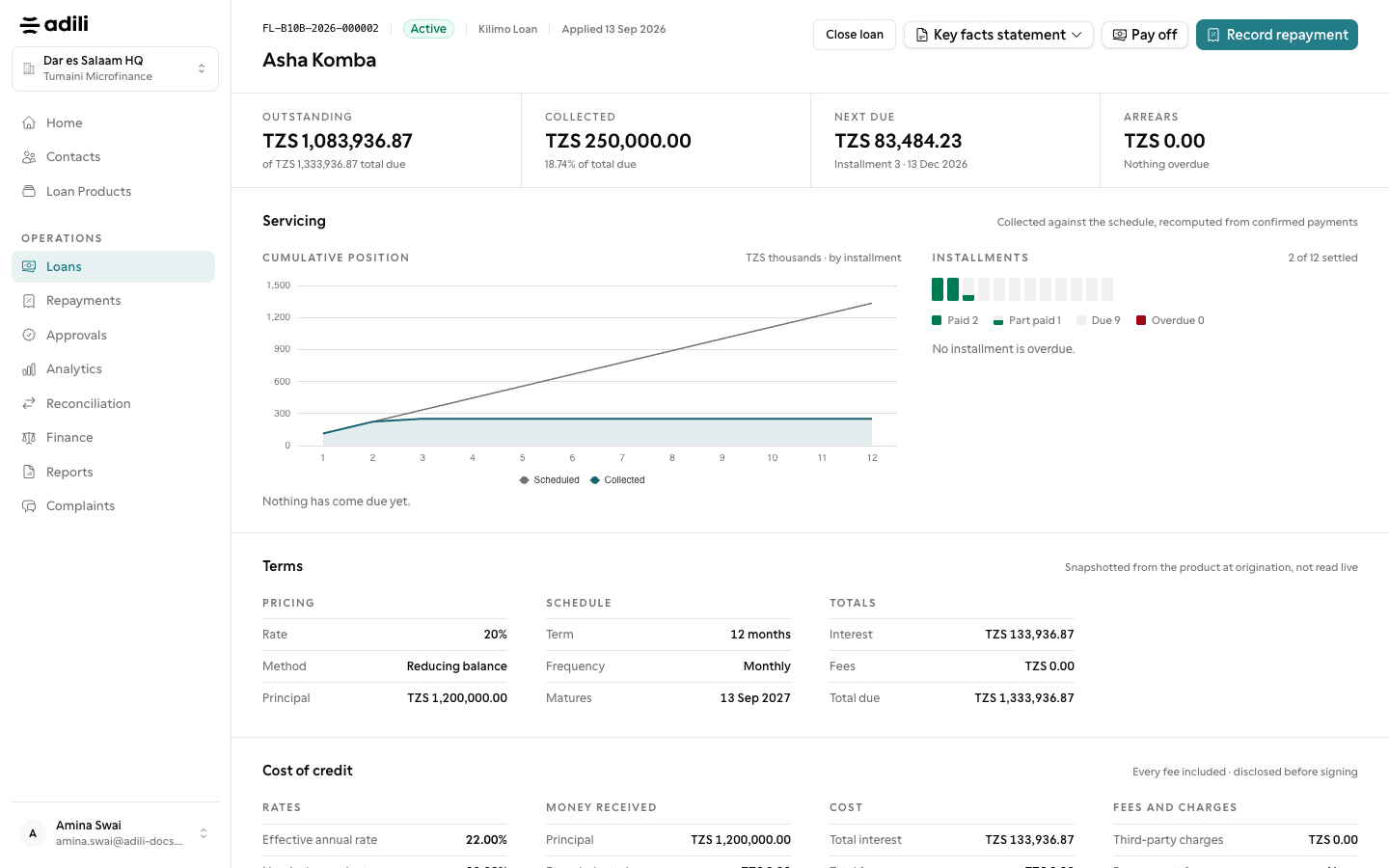
    The loan's Cost of credit section shows the same figures with every fee, when it is charged, and any insurance.

  3. 3

    Give the key facts statement

    Before disbursement, download the key facts statement as PDF from the loan page. It uses the language set under Settings → Documents unless the contact asks for another.
See it in Adili

Follow the screen, step by step

The examples use safe training data. Names and amounts in your account will be different.

Quote before you lend

1 Quote before you lend

What to do

  1. 1. On the new-loan form, the cost of credit shows the nominal and effective annual rate including all fees, total interest, total cost of credit and the cost of each instalment.
  2. 2. The loan's Cost of credit section shows the same figures with every fee, when it is charged, and any insurance.
  3. 3. Before disbursement, download the key facts statement as PDF from the loan page. It uses the language set under Settings → Documents unless the contact asks for another.

You should see

The effective rate includes every fee.