Credit Reports

Request a credit report with the customer's consent and retain the decision record.

Workflow

  1. 1

    Capture consent

    Explain why the report is needed and confirm the customer's consent before sending the request.

  2. 2

    Search and confirm

    Open the Credit bureau tab on the borrower record and choose Request report, confirm the identity details and select the correct match.

  3. 3

    Use the report responsibly

    Review the result, record the lending decision, and keep the report within the authorized team.
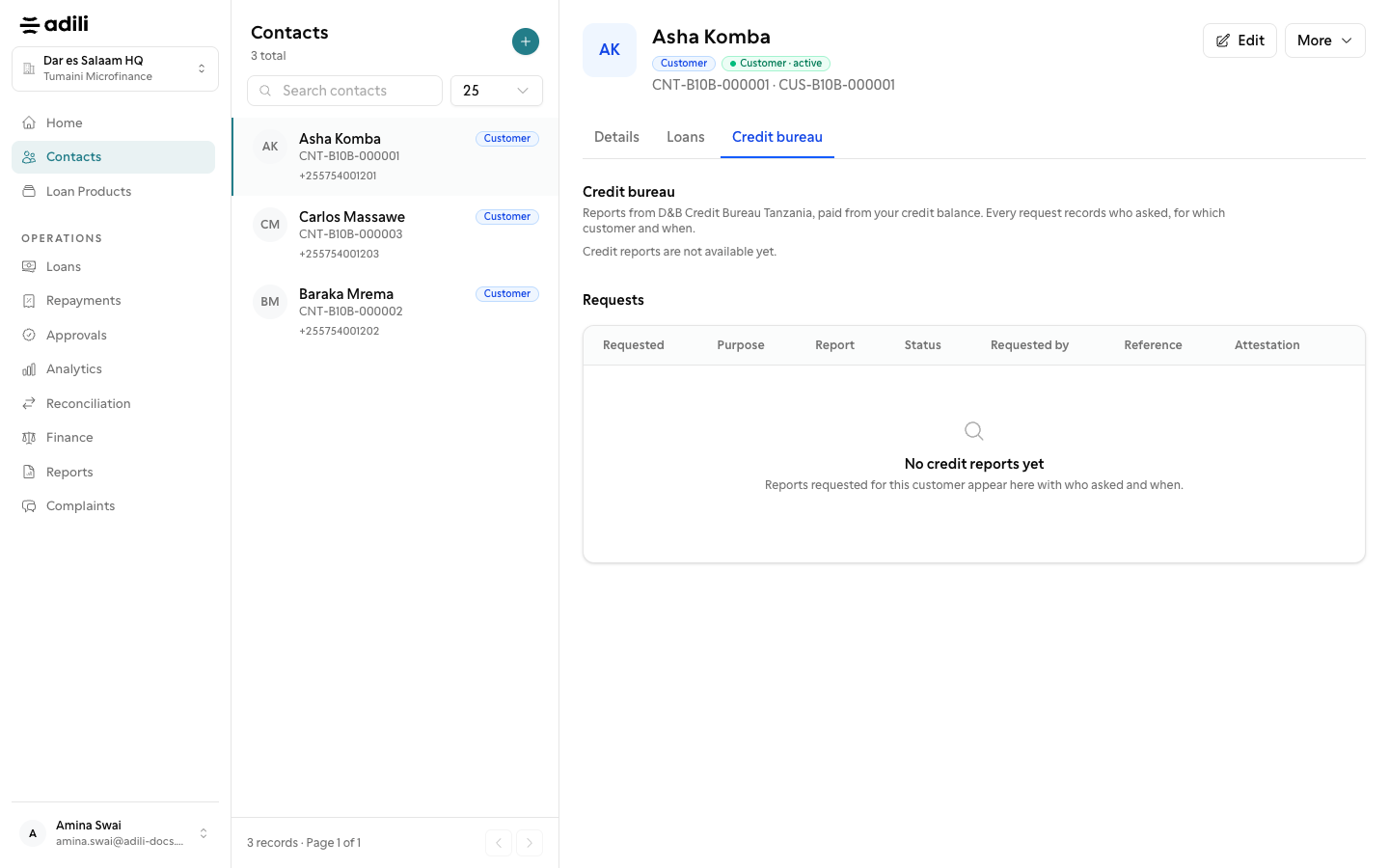
See it in Adili

Follow the screen, step by step

The examples use safe training data. Names and amounts in your account will be different.

Capture consent

1 Capture consent

What to do

  1. 1. Explain why the report is needed and confirm the customer's consent before sending the request.
  2. 2. Open the Credit bureau tab on the borrower record and choose Request report, confirm the identity details and select the correct match.
  3. 3. Review the result, record the lending decision, and keep the report within the authorized team.

You should see

Consent is recorded.