Payoff and Prepayment

Quote today's payoff on a microfinance loan and record a full or partial prepayment.

Workflow

  1. 1

    Open Pay off

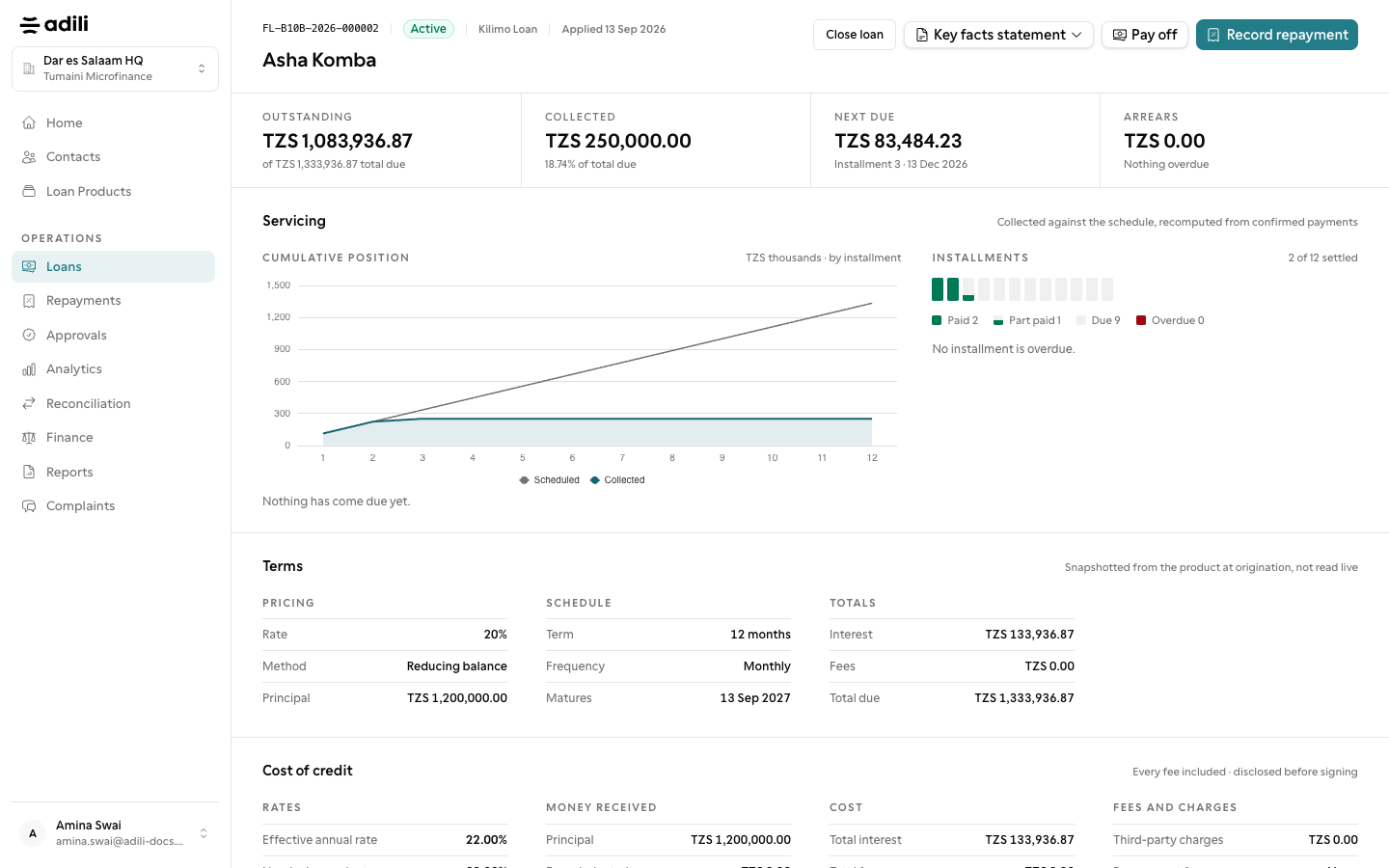
    On a microfinance loan's page, choose Pay off to see today's amount: principal, interest due, interest accrued to today, fees and penalties.

  2. 2

    Choose full or partial

    Pay the full amount to close the loan, or enter a smaller amount and choose Shorten the term or Lower the instalments, with a preview of the remaining schedule.

  3. 3

    Record the payment

    The payment goes through the ordinary repayment path. Reversing it restores the previous schedule.
See it in Adili

Follow the screen, step by step

The examples use safe training data. Names and amounts in your account will be different.

Open Pay off

1 Open Pay off

What to do

  1. 1. On a microfinance loan's page, choose Pay off to see today's amount: principal, interest due, interest accrued to today, fees and penalties.
  2. 2. Pay the full amount to close the loan, or enter a smaller amount and choose Shorten the term or Lower the instalments, with a preview of the remaining schedule.
  3. 3. The payment goes through the ordinary repayment path. Reversing it restores the previous schedule.

You should see

The quote is for today's date.