Workflow
-
1
Open the loan
Repayments are recorded from the loan, not from the Repayments list. Find the loan under Loans and check the borrower, branch and Outstanding figure. The loan must be Active or Disbursed.
-
2
Record the payment
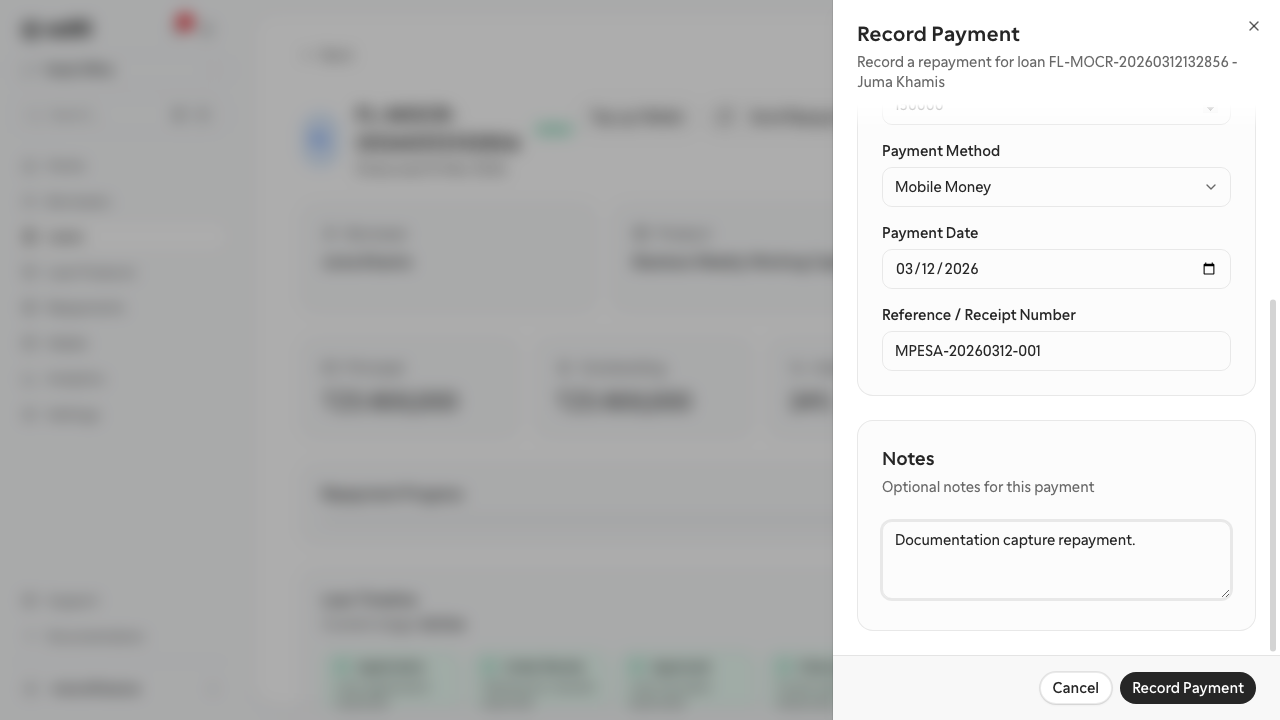
Choose Record repayment. In Record payment pick the Organization Account that received the money, enter the Amount, choose the Payment Method (Cash, Bank Transfer, Mobile Money, Cheque or Deduction), add the Reference and any Notes, and choose Record payment.
-
3
Check the result
The Outstanding, Collected, Next due and Arrears figures and the Schedule tab update at once. Give the borrower the receipt number.
-
4
Review the day's collections
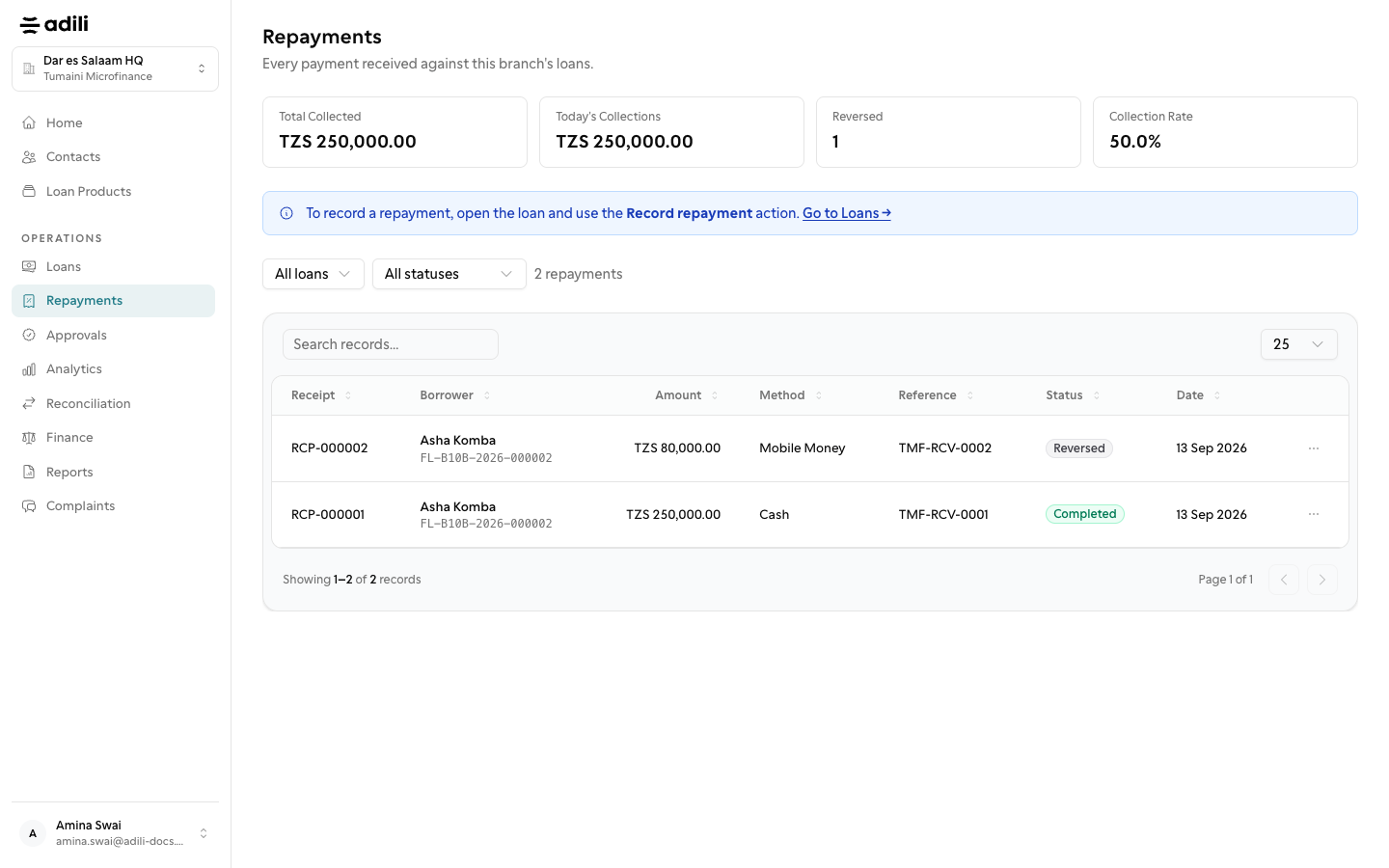
The Repayments page lists every receipt with borrower, amount, method, reference and status (Completed, Pending, Reversed or Failed), with Total Collected and Today's Collections at the top.
-
5
Correct a mistake
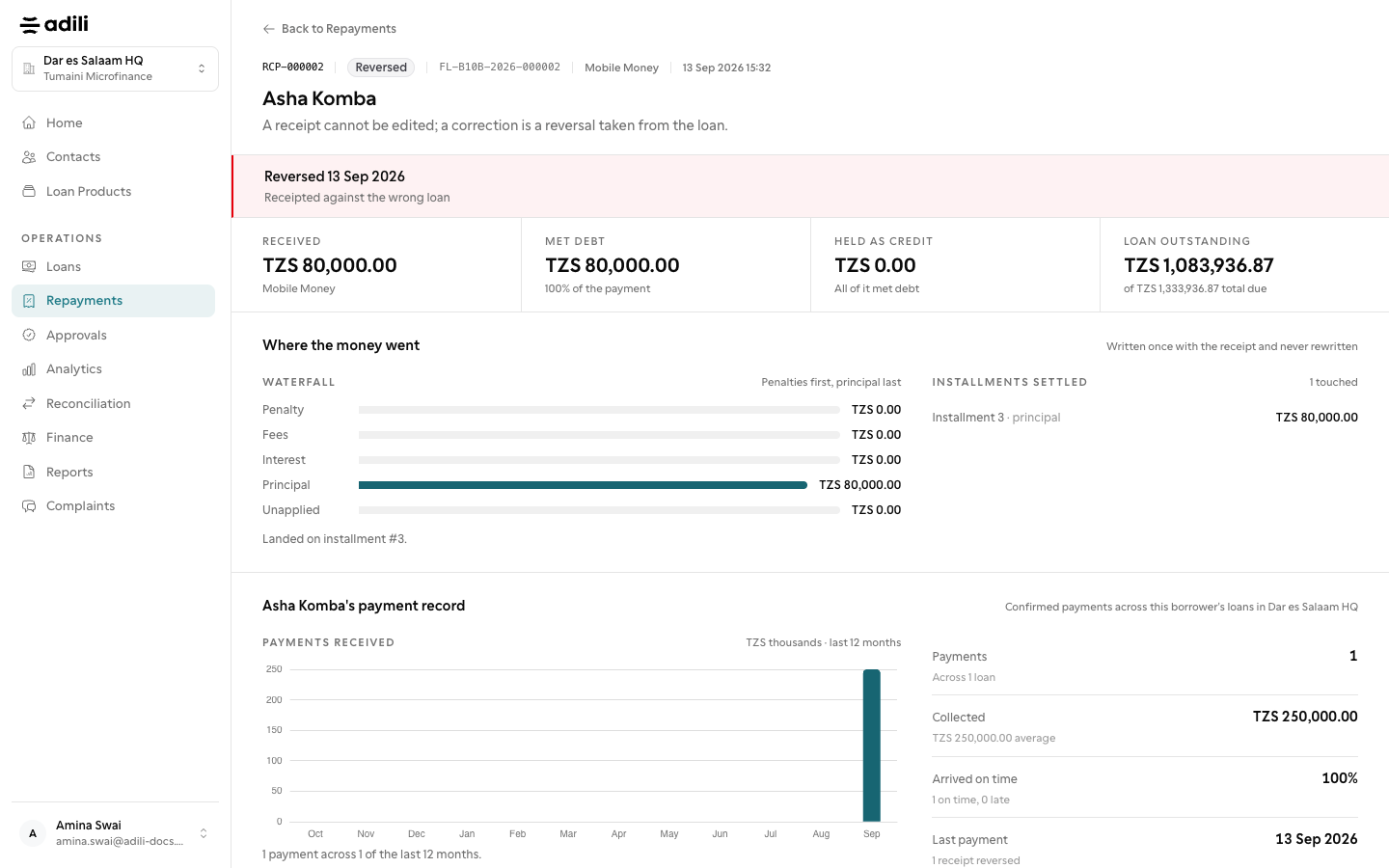
A receipt cannot be edited. An owner, admin or branch manager chooses Reverse on the payment row of the loan, gives the Reason and chooses Reverse repayment, then the right payment is recorded again.